> For the complete documentation index, see [llms.txt](https://docs.chatlayer.ai/llms.txt). Markdown versions of documentation pages are available by appending `.md` to page URLs; this page is available as [Markdown](https://docs.chatlayer.ai/chatlayer-documentation-pt-br/support/solving-bot-issues.md).
# Depure seu bot
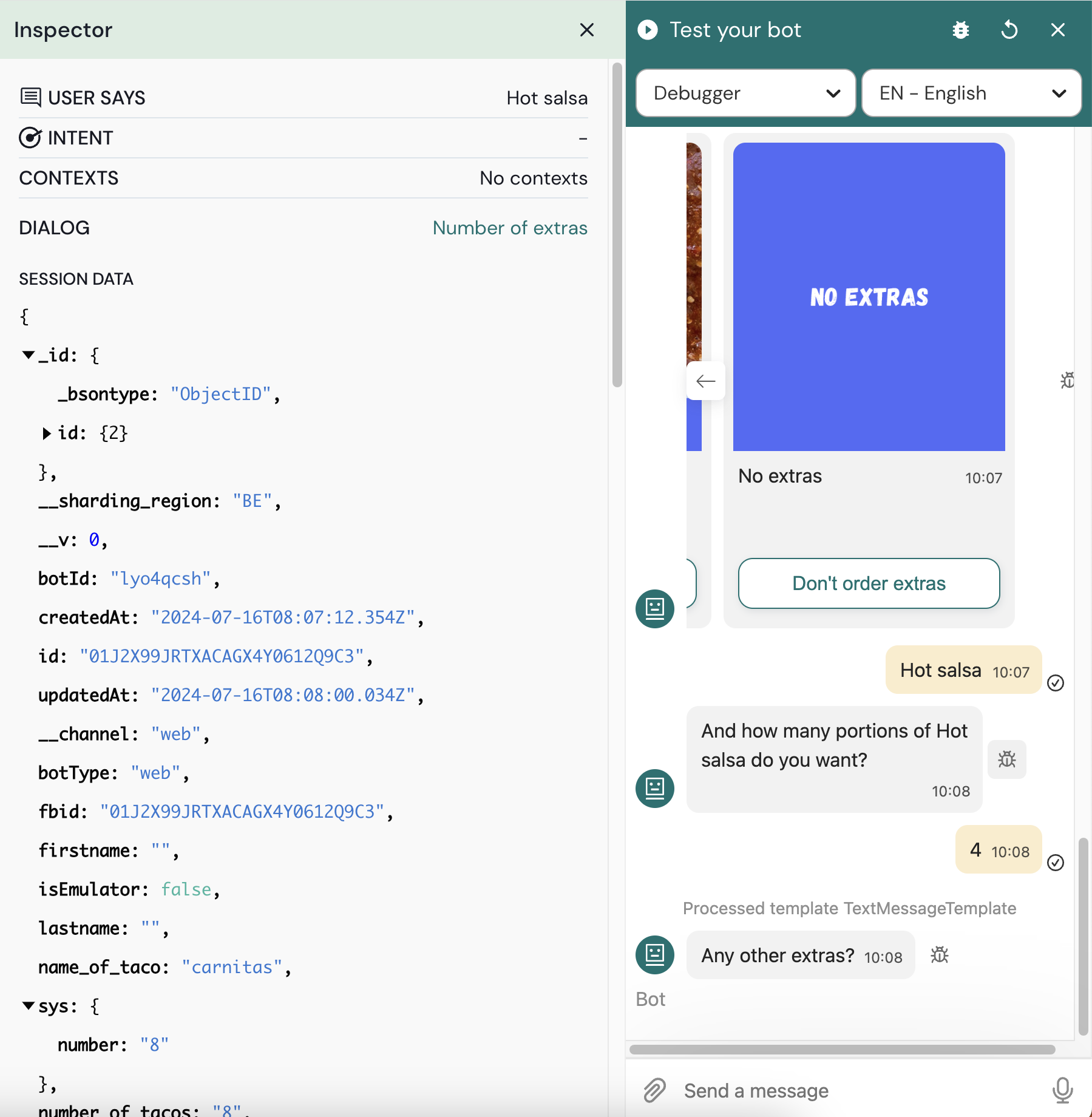
No **Depurador** você pode encontrar as seguintes informações:
`Usuário diz` a entrada que o usuário forneceu
`Intenção` a intenção reconhecida
`Contextos` se houver [contextos ](https://docs.chatlayer.ai/understanding-users/using-context)estão ativos e qual é o tempo de vida
`Diálogo do bot` com o id e o nome do bloco atual
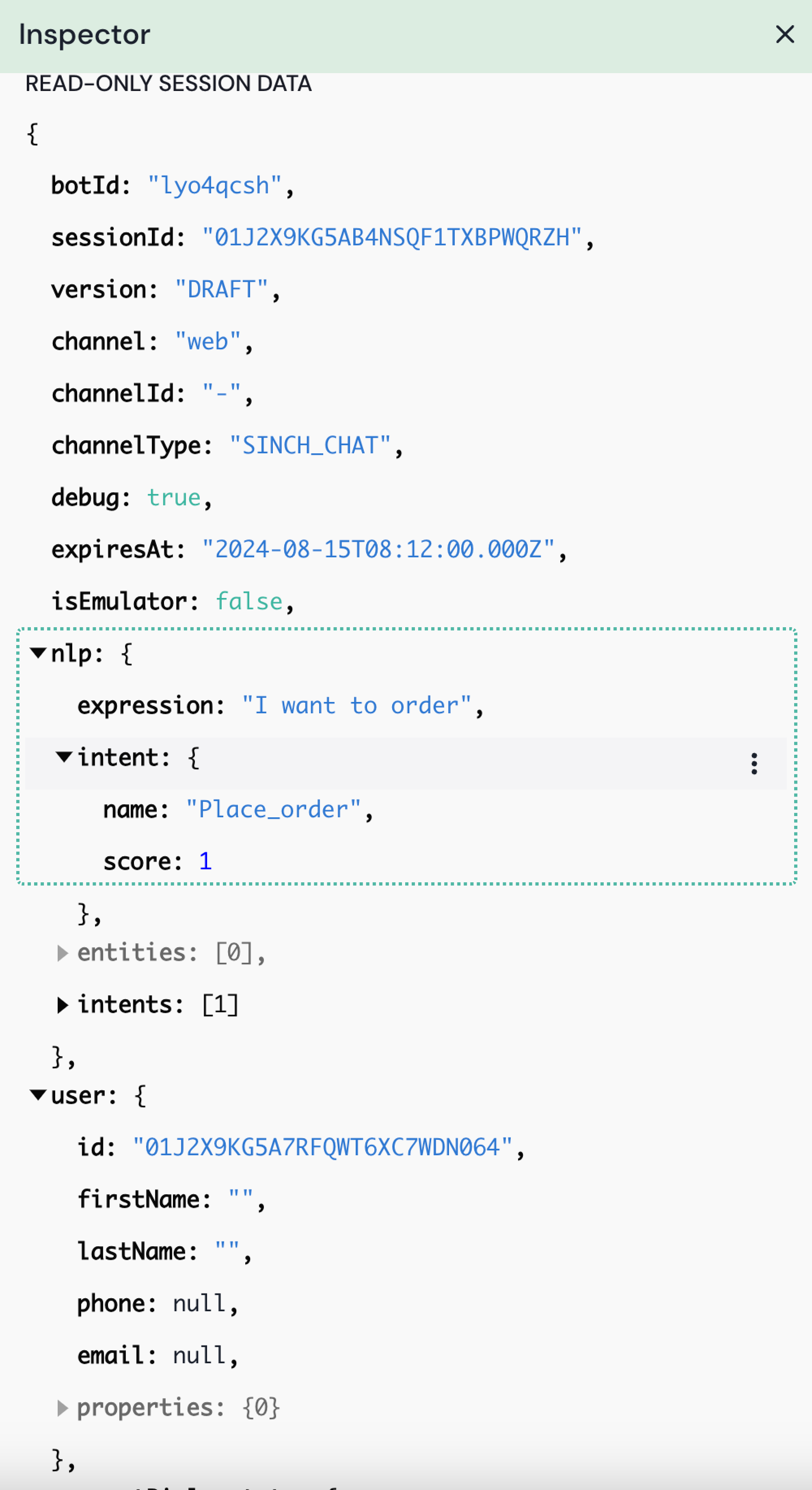
`Dados da sessão somente leitura` Todos esses são dados recuperados até este ponto na sessão. Se você precisar usar alguma dessas variáveis, é importante que adicione `internal.` antes da variável. Por exemplo `internal.channel`
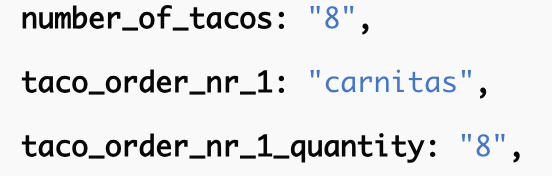
Se houver variáveis coletadas na conversa ao longo do caminho, elas serão listadas na parte inferior. Se você quiser usar essas, `internal.` não é necessário
Se você precisar usar alguma das variáveis com um `{ }` antes dela, lembre-se de usar o nome correto da variável quando abrir a variável. Por exemplo `internal.currentDialogstate.name`
Abaixo `Mensagens` (no lado direito) você pode ver todas as mensagens que o bot forneceu até esse ponto.
### Resultado de PLN
A seção de PLN mostra o resultado do mecanismo de PLN. Quaisquer intenções ou entidades reconhecidas são mostradas aqui
A expressão correspondeu 100% à intenção 'Place_order'
Essas informações ajudam a localizar problemas de intenção - se uma resposta errada for dada no bot, você pode verificar aqui qual intenção foi acionada.
---
# Agent Instructions
This documentation is published with GitBook. GitBook is the documentation platform designed so that both humans and AI agents can read, navigate, and reason over technical content effectively. Learn more at gitbook.com.
## Querying This Documentation
If you need additional information that is not directly available in this page, you can query the documentation by asking a question.
Perform an HTTP GET request on the following URL with the `ask` and `goal` query parameters:
```
GET https://docs.chatlayer.ai/chatlayer-documentation-pt-br/support/solving-bot-issues.md?ask=&goal=
```
`ask` is the immediate question: it should be specific, self-contained, and written in natural language.
`goal` is what the user is ultimately trying to achieve, the reason they need the answer. Sharing it helps GitBook give you a better, more relevant answer. A goal is most helpful when it describes the outcome the user wants rather than restating the question. For example, with `ask=how do I create an API token`, a goal like `automate deployments from our CI pipeline` lets GitBook tailor the answer to that use case.
The response will contain a direct answer to the question and relevant excerpts and sources from the documentation.
Use this mechanism when the answer is not explicitly present in the current page, you need clarification or additional context, or you want to retrieve related documentation sections.