> For the complete documentation index, see [llms.txt](https://docs.chatlayer.ai/llms.txt). Markdown versions of documentation pages are available by appending `.md` to page URLs; this page is available as [Markdown](https://docs.chatlayer.ai/chatlayer-documentation-pt-br/navegacao/natural-language-processing-nlp/expressions.md).
# Expressões
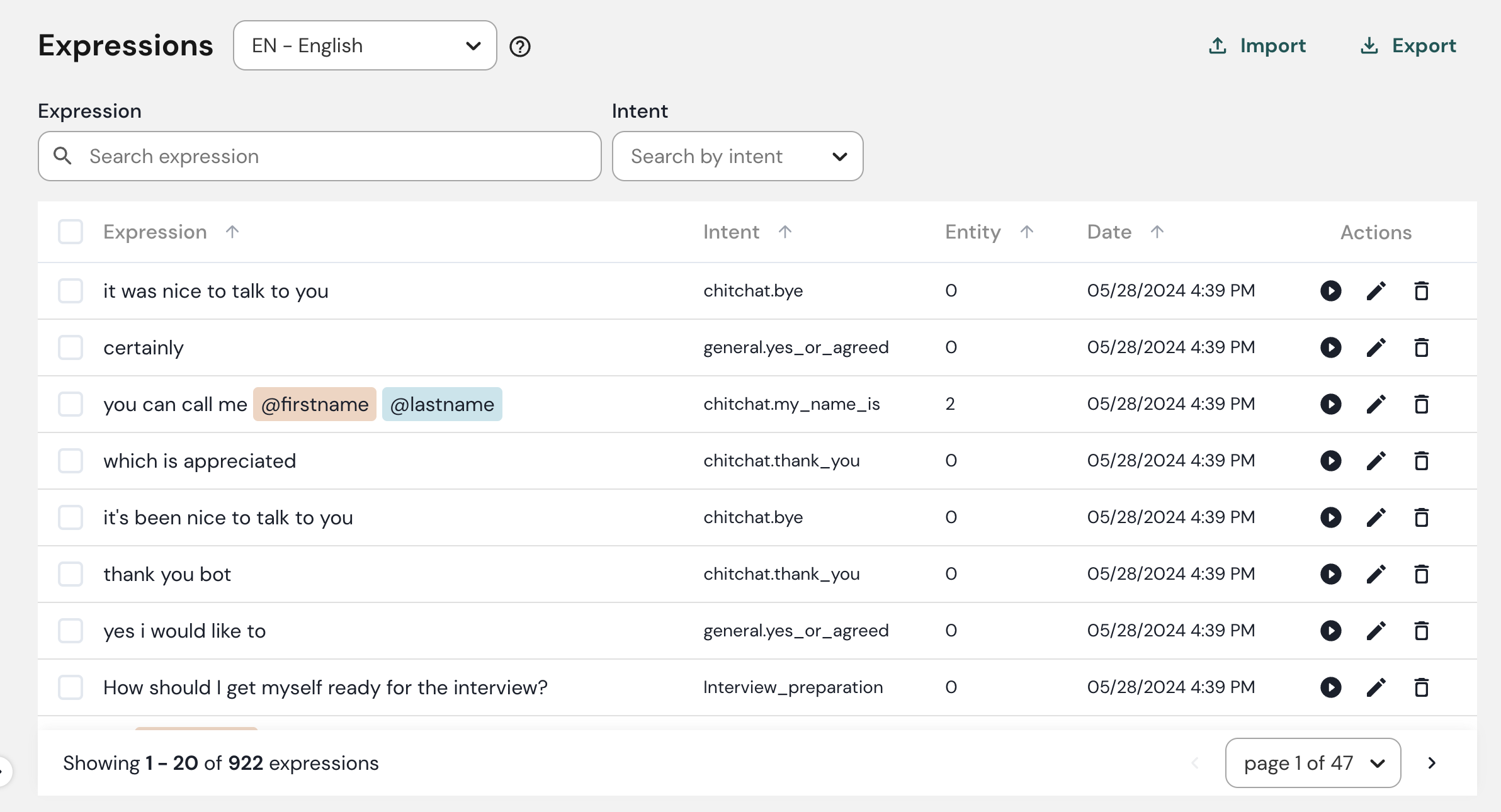
A aba Expressões é onde você pode ver todas as suas expressões e qual intenção está atribuída a cada uma delas.
{% hint style="info" %}
NLP soa estranho para você? Não deixe de dar uma olhada em nosso detalhado [Processamento de linguagem natural ](/chatlayer-documentation-pt-br/nlp/natural-language-processing-nlp.md)página.
{% endhint %}
A aba Expressões.
## Adicionar expressões
**Expressões** são as frases ou expressões que os clientes usam para comunicar sua intenção ao chatbot. Há dois métodos para adicionar expressões às suas intenções:
### Entrada manual
1. Acesse suas **Intenção** guia.
2. Digite uma nova expressão no campo de entrada.
3. Clique em **digite** ou **+**.
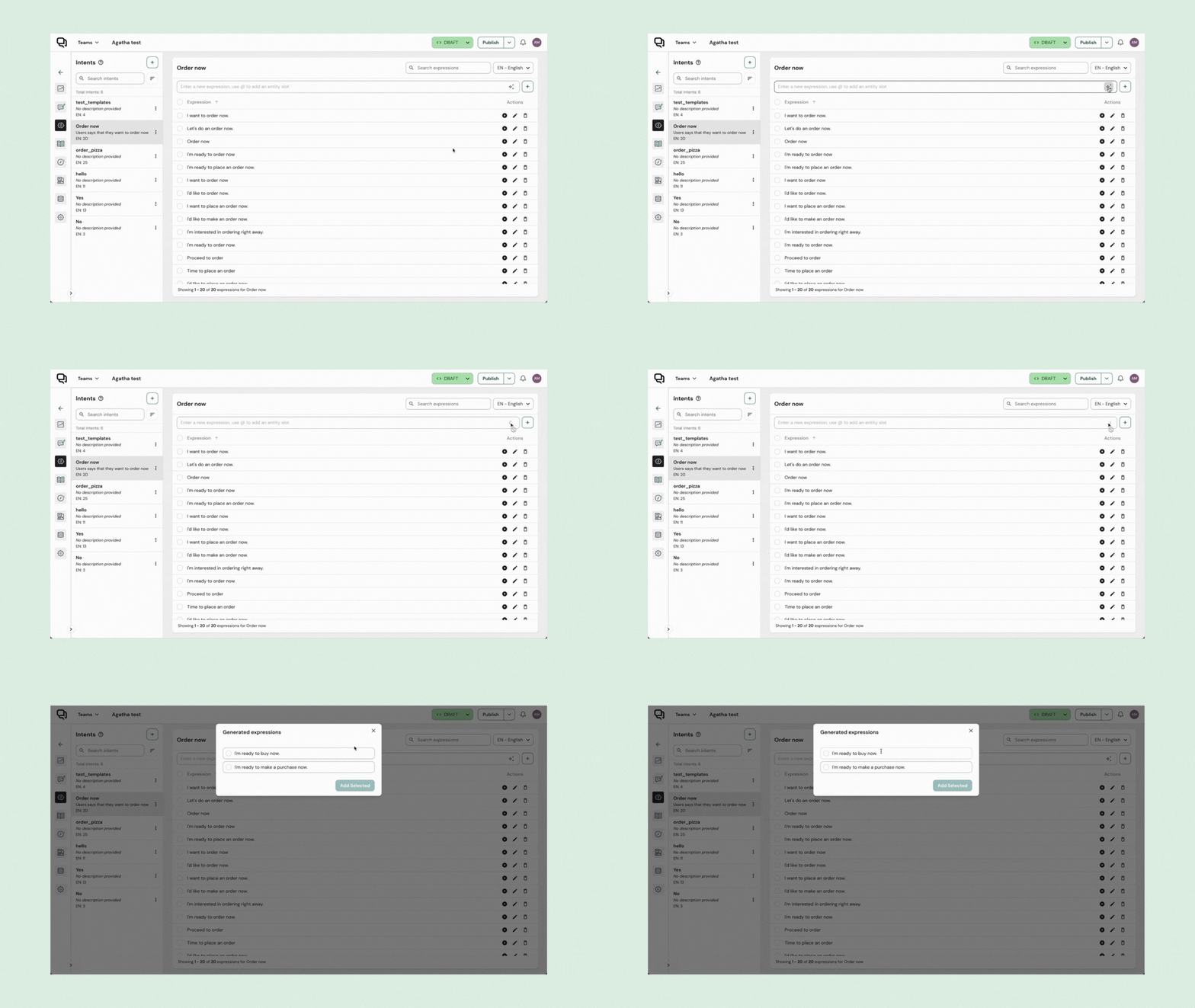
### Gerar expressões
Se você quiser acelerar o processo, pode aproveitar ao máximo os Modelos de Linguagem de Grande Porte (LLM) para gerar expressões automaticamente.
Para gerar expressões usando IA:
1. Acesse a intenção que você criou. Se não houver expressões existentes, o nome e a descrição da intenção serão usados como prompt para a geração de expressões.
2. Clique em **Gerar Expressões**. O chatbot fornecerá até 5 expressões sugeridas com base no prompt fornecido.
3. Selecione as que você deseja manter.
4. Clique em **Adicionar selecionadas**.
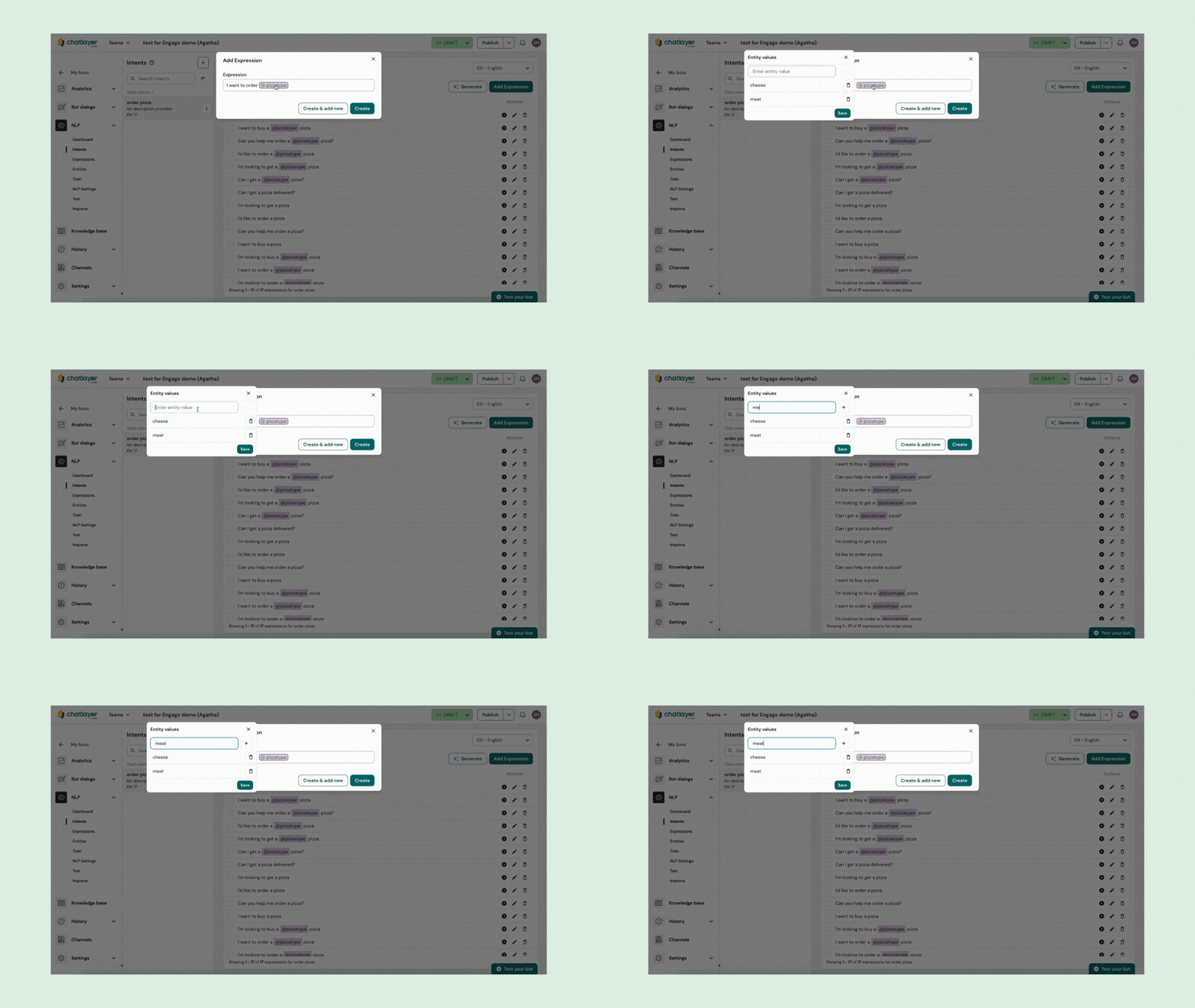
## Adicione entidades contextuais às suas expressões
Para adicionar [entidades contextuais](/chatlayer-documentation-pt-br/nlp/natural-language-processing-nlp/detect-information-with-entities/contextual-entities.md) às suas expressões:
1. Ao escrever expressões, use o símbolo '@' para indicar a presença de uma entidade.
2. Você pode criar uma nova tag de entidade contextual na hora ou selecionar entre as tags de entidade contextual existentes, dependendo das entidades contextuais predefinidas do seu chatbot.
3. Para adicionar valores à entidade selecionada, basta clicar na tag da entidade. Isso abrirá um modal onde você poderá visualizar ou adicionar novos valores associados a essa entidade.
Adicione entidades às suas expressões.
---
# Agent Instructions
This documentation is published with GitBook. GitBook is the documentation platform designed so that both humans and AI agents can read, navigate, and reason over technical content effectively. Learn more at gitbook.com.
## Querying This Documentation
If you need additional information that is not directly available in this page, you can query the documentation by asking a question.
Perform an HTTP GET request on the following URL with the `ask` and `goal` query parameters:
```
GET https://docs.chatlayer.ai/chatlayer-documentation-pt-br/navegacao/natural-language-processing-nlp/expressions.md?ask=&goal=
```
`ask` is the immediate question: it should be specific, self-contained, and written in natural language.
`goal` is what the user is ultimately trying to achieve, the reason they need the answer. Sharing it helps GitBook give you a better, more relevant answer. A goal is most helpful when it describes the outcome the user wants rather than restating the question. For example, with `ask=how do I create an API token`, a goal like `automate deployments from our CI pipeline` lets GitBook tailor the answer to that use case.
The response will contain a direct answer to the question and relevant excerpts and sources from the documentation.
Use this mechanism when the answer is not explicitly present in the current page, you need clarification or additional context, or you want to retrieve related documentation sections.
.gif?alt=media&token=79ee90b2-c727-4d36-944b-a22ee47cbd9f)